
Introduction
Printing is an important part of everyday life, from creating business documents and marketing materials to designing brochures, flyers, posters, and professional presentations. However, achieving excellent printing results requires more than simply selecting a printer and pressing the print button. Understanding the right paper, printer settings, image resolution, colors, and file formats can make a significant difference. These Printing Tips & Guides will help beginners, students, business owners, and designers produce cleaner, sharper, and more professional prints while avoiding unnecessary expenses and common printing mistakes.
Whether you print at home or work with a professional printing company, learning the basics of printing can save time, reduce material waste, and improve the final appearance of your projects. This guide covers essential printing techniques, practical recommendations, and professional advice to help you make better printing decisions.
Why Are Printing Tips & Guides Important?
Understanding printing techniques helps you achieve consistent results and avoid problems that can affect the appearance of your documents and designs. Even a well-designed project can look unprofessional when printed with incorrect settings, unsuitable paper, or poor-quality images.
Better print quality: Choosing appropriate paper, resolution, and color settings helps produce sharper text, clearer images, and more attractive designs.
Reduced printing costs: Understanding printer settings and selecting suitable materials can prevent wasted ink, toner, and paper.
Fewer printing errors: Checking document dimensions, margins, fonts, and colors before printing reduces the likelihood of incorrect results.
More professional presentations: Proper printing techniques make marketing materials, business documents, and promotional designs look more polished.
For example, a business preparing brochures for a marketing campaign should check image quality, paper thickness, folding requirements, and color consistency before ordering hundreds of copies. A few minutes of preparation can prevent expensive reprints.
Essential Printing Tips for Beginners
If you are new to printing, start by understanding your printer, paper, and document settings. These basic steps can improve everyday printing results.
1. Choose the Right Printer
Different printers are designed for different purposes. Inkjet printers are commonly used for photographs, colorful graphics, and general home printing. Laser printers are particularly useful for fast document printing and producing sharp text in offices.
Before purchasing a printer, consider:
- The type of documents you print most frequently.
- Whether you need color or black-and-white printing.
- Your expected monthly printing volume.
- Ink or toner replacement costs.
- Available paper sizes and media compatibility.
A printer that matches your requirements can provide better long-term value than choosing a device based only on its initial price.
2. Understand Your Printer Settings
Printer settings directly affect the final output. Before printing, check the selected paper size, orientation, color mode, and print quality.
Common print settings include:
- Draft: Suitable for internal documents and quick reference copies.
- Normal: Appropriate for everyday printing.
- Best or High Quality: Useful for photographs, presentations, and important graphics.
- Duplex: Prints on both sides of compatible paper.
- Grayscale: Uses shades of gray instead of full-color printing.
Always select the correct paper type in the printer settings. Choosing glossy paper settings for ordinary office paper, for example, may produce undesirable results.
3. Check Image Resolution
Image resolution determines how much detail an image contains. Low-resolution graphics can appear blurry, pixelated, or unclear when printed.
For many standard commercial print projects, 300 DPI at the final output size is a useful target for photographs and detailed images. Large-format graphics intended to be viewed from a distance may require different resolution settings.
Avoid enlarging small web images excessively. Instead, use original high-resolution files whenever possible.
How to Choose the Right Paper for Printing
Paper selection influences the appearance, durability, texture, and overall quality of a printed project. The best paper depends on what you are creating and how people will use it.
Standard Printing Paper
Standard office paper is suitable for everyday documents, reports, invoices, worksheets, and internal business communication.
It is generally affordable and works with many inkjet and laser printers. However, it may not provide the premium appearance needed for marketing materials or professional presentations.
Glossy Paper
Glossy paper has a smooth, reflective surface that makes photographs and colorful graphics appear vibrant.
It is commonly used for:
- Promotional photographs.
- Product images.
- Marketing postcards.
- Photo prints.
- Colorful advertising materials.
Make sure the paper is compatible with your printer because inkjet and laser papers are not always interchangeable.
Matte Paper
Matte paper has a non-reflective surface that reduces glare and provides a clean, understated appearance.
It is useful for brochures, business documents, informational flyers, and designs containing significant amounts of text.
Cardstock and Premium Paper
Cardstock is thicker and more rigid than ordinary printing paper. It is commonly selected for business cards, invitations, postcards, greeting cards, and presentation materials.
Before printing on thick paper, check the printer’s supported paper weight and feeding requirements.
Practical tip: Select paper based on the purpose of the project rather than choosing the most expensive option. A professional business card may benefit from premium cardstock, while an internal office document usually does not need it.
Understanding Different Printing Methods
Different printing methods serve different purposes. Understanding their strengths can help you select the right process for your budget and project requirements.
Digital Printing
Digital printing transfers a digital design directly onto a printing surface without requiring traditional printing plates.
It is suitable for short production runs, personalized materials, business cards, flyers, and brochures. It also allows businesses to update designs without preparing new printing plates.
Offset Printing
Offset printing transfers ink from a printing plate to a rubber blanket and then onto paper.
It is commonly used for larger production quantities, magazines, books, catalogs, and marketing materials. It can offer consistent results across large print runs, although setup requirements may make it less economical for very small orders.
Inkjet Printing
Inkjet printers produce images by spraying small droplets of ink onto paper.
They are popular for home printing, photographs, illustrations, and colorful documents. The final quality depends on the printer, ink, paper, and selected settings.
Laser Printing
Laser printers use toner and a heated fusing process to create printed documents.
They are widely used in offices because they can produce sharp text and handle regular document printing efficiently.
Large-Format Printing
Large-format printing is designed for oversized materials such as banners, signs, exhibition graphics, and promotional displays.
When preparing large-format artwork, consider viewing distance, material type, resolution, and installation requirements.
Professional Tips to Improve Print Quality
Professional-looking prints require careful preparation before the document reaches the printer. The following techniques can help you avoid common quality problems.
Use High-Resolution Images
Use original images with sufficient resolution for the intended print dimensions. Images downloaded from websites may have been compressed for screen display and might not contain enough detail for larger prints.
Check image dimensions and resolution before placing graphics in your design.
Understand RGB and CMYK Color Modes
RGB and CMYK are two different color models.
RGB uses red, green, and blue light and is primarily used for digital screens. CMYK uses cyan, magenta, yellow, and black inks or toners and is commonly associated with conventional commercial printing.
Screen colors may look different when printed because monitors and printing processes reproduce colors differently.
For professional printing, follow the printer’s requested color specifications and use an appropriate CMYK workflow when required. Some digital printing workflows accept RGB files and perform their own color conversion.
Set Proper Margins and Bleed
Margins provide space between important content and the edge of a document. Bleed extends background colors or images beyond the final cutting boundary.
Bleed helps prevent unwanted white edges when printed materials are trimmed.
For example, if you are designing a brochure with a colored background extending to the edges, your artwork should include the bleed dimensions requested by the printing provider.
Check Fonts and Typography
Use readable fonts and appropriate font sizes. Extremely small text can become difficult to read after printing, especially on promotional materials.
For professional print files, embed fonts or convert text to outlines when requested by the printing provider. Always keep an editable original file for future revisions.
Preview and Test Your Design
Before printing a large quantity, inspect the document carefully.
Check:
- Spelling and grammar.
- Image placement and cropping.
- Page dimensions and orientation.
- Margins and bleed.
- Font consistency.
- Color appearance.
- Page order and alignment.
A physical test print can reveal problems that may not be obvious on a computer screen.
Common Printing Mistakes and How to Avoid Them
Printing mistakes can affect quality and increase production costs. Fortunately, most problems can be prevented through careful preparation.
Using low-resolution images: Small images may appear blurry when enlarged. Use suitable high-resolution graphics and check their actual dimensions.
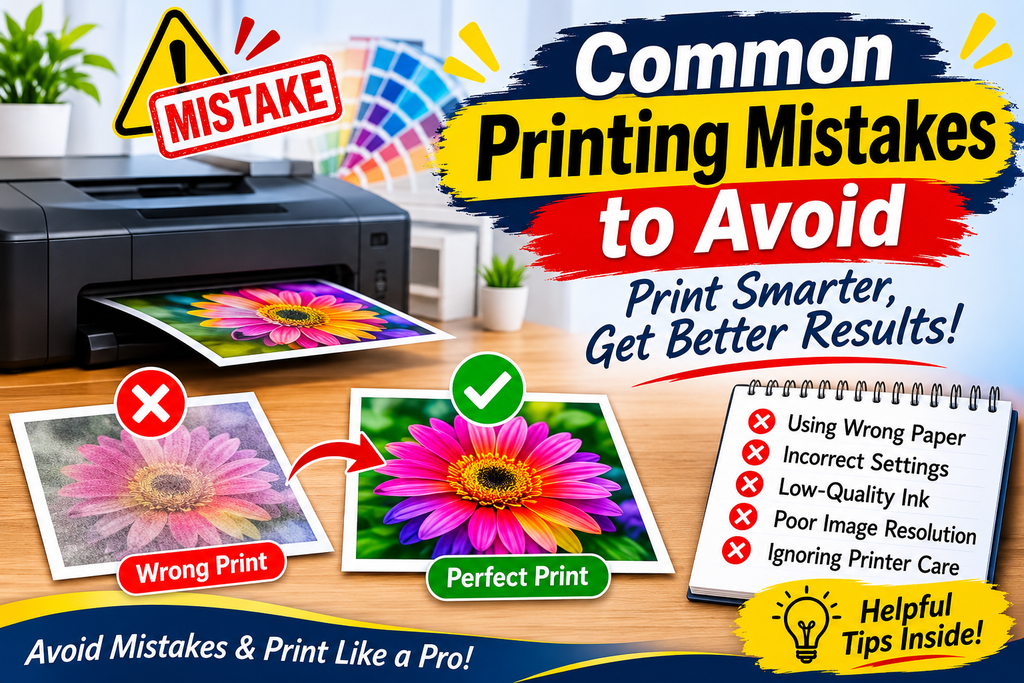
Selecting the wrong paper size: A mismatch between document dimensions and printer settings can cause unwanted cropping or scaling. Confirm the final page size before printing.
Ignoring color differences: Screen colors are not always identical to printed colors. Use appropriate color management and request a proof when color accuracy is important.
Forgetting margins and bleed: Missing bleed can create white edges after trimming. Follow the printer’s artwork specifications.
Overlooking spelling errors: Even a visually attractive brochure can look unprofessional if it contains incorrect information. Proofread the complete document before approving it.
Using unsuitable file formats: Some image formats may not preserve the quality or technical information required for professional printing. Ask the print provider which format they prefer.
Skipping test prints: Printing a large quantity without checking a sample can result in expensive mistakes. Review a proof before approving the full order.
Best File Formats for Professional Printing
Selecting an appropriate file format helps preserve image quality, layout, and design elements during the printing process.
PDF and PDF Print
PDF is widely used for professional printing because it can preserve page dimensions, fonts, images, and layout information.
When exporting a print-ready PDF, check the required color profile, bleed, crop marks, and font settings. Not every project requires crop marks, so follow the printing provider’s instructions.
JPEG
JPEG is commonly used for photographs and other images. It uses lossy compression, which means some image information is discarded when the file is compressed.
Use a high-quality JPEG when an image file is requested, but avoid repeatedly saving and compressing the same image.
PNG
PNG supports lossless compression and transparency. It is useful for logos, graphics, and images containing transparent backgrounds.
However, a PNG file alone does not guarantee that an entire document is print-ready. Its resolution, dimensions, and color requirements still need to be checked.
TIFF
TIFF is often used for high-quality photographs and professional image workflows. It supports detailed image information and can be suitable when a print provider requests this format.
Recommendation: For complete brochures, flyers, posters, and multi-page documents, a correctly prepared PDF is generally a practical choice unless the printing provider specifies another format.
How to Save Money on Printing
Reducing printing costs does not mean compromising quality. Smart planning and suitable material selection can help businesses and individuals manage their printing budgets.
Compare Printing Options
Request quotations from multiple printing providers and compare more than the total price. Consider paper quality, finishing, turnaround time, delivery, and proofing services.
Print in Appropriate Quantities
Bulk printing may reduce the cost per copy because setup costs are distributed across more items. However, avoid ordering more copies than you can realistically use.
For designs that change frequently, smaller print runs may prevent outdated materials from becoming waste.
Use Paper Efficiently
Consider double-sided printing for suitable documents. Choose appropriate page layouts and avoid unnecessary blank pages.
For business documents, standard paper sizes can also reduce unnecessary trimming and material waste.
Prepare Files Correctly
Incorrect dimensions, missing fonts, and low-quality images may lead to additional design or production charges. Checking files before submission can prevent costly corrections.
Choose Finishing Options Carefully
Special finishes such as lamination, embossing, foil stamping, and spot UV can improve appearance, but they also increase costs.
Choose finishing options that genuinely support the purpose of your printed material.
Home Printing vs. Professional Printing
Choosing between home and professional printing depends on your project size, quality expectations, budget, and available equipment.
Home printing is convenient for everyday documents, school assignments, personal photographs, drafts, and small projects. It provides flexibility because you can print whenever required.
However, home printers may have limitations involving paper sizes, finishing options, color consistency, and production volume.
Professional printing is more suitable for commercial brochures, large quantities of flyers, business cards, posters, catalogs, and marketing campaigns.
Professional providers may offer specialized paper, advanced equipment, precise trimming, binding, and finishing services.
For example, printing a few internal business documents at home may be practical, while producing 1,000 promotional brochures is generally better handled by a commercial printing provider.
Compare the complete cost, including materials, equipment, ink, setup, and finishing, before deciding.
Printing Tips for Different Projects
Every printing project has different requirements. Applying the right techniques can improve the final appearance and usability of your materials.
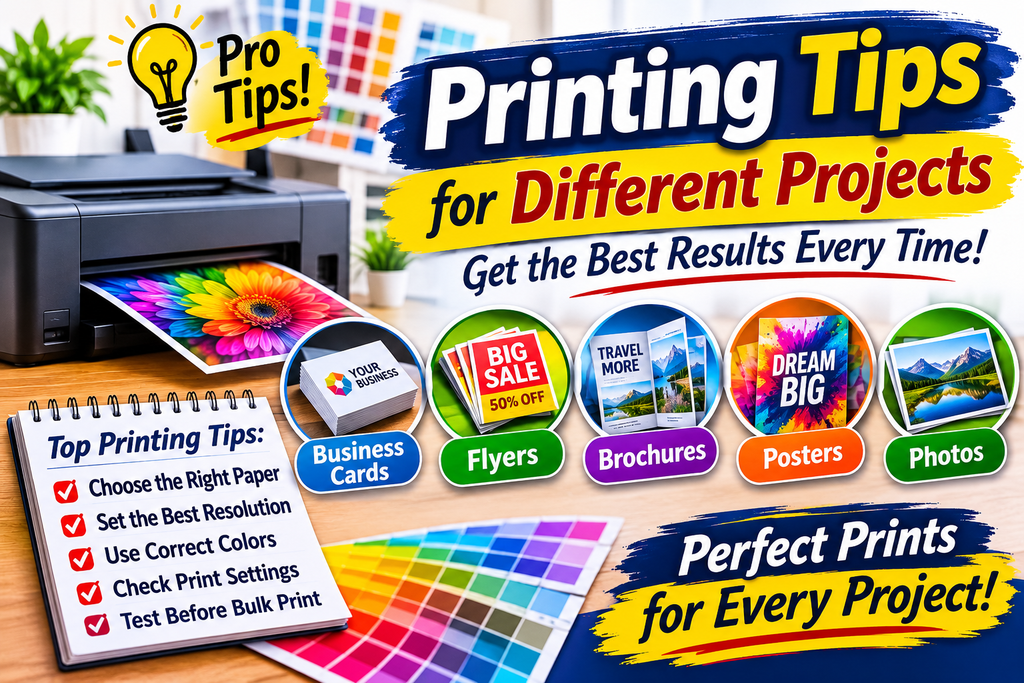
Brochure Printing Tips
Use a consistent layout, readable typography, and high-quality images. Confirm the folding style, panel dimensions, and page orientation before preparing the final design.
For professional brochures, choose paper that suits your brand and intended audience.
Flyer Printing Guide
Keep flyer designs simple and focused. Use a strong headline, clear promotional message, relevant images, and visible contact information.
Check that important text is not too close to the trimming edges.
Poster Printing Tips
Use high-resolution graphics and typography that can be read from the expected viewing distance.
Consider the display environment when selecting paper or poster material. Indoor and outdoor applications may require different materials.
Business Card Printing
Business cards should contain essential contact information without overcrowding the layout.
Use suitable cardstock, maintain consistent branding, and check both sides of the design before submitting it for printing.
Booklets and Newsletters
For booklets, confirm the total page count, page sequence, binding method, and document size.
Keep headings, images, and body text consistent across pages. Request a proof to check page order and alignment before production.
FAQ
1. What are the most important printing tips for beginners?
Start by selecting the correct paper, checking printer settings, using suitable image resolution, and reviewing your document before printing. A test print is especially helpful for important projects.
2. What is the best resolution for high-quality printing?
For many standard commercial print applications, 300 DPI at the final image size is a useful target. Large-format designs may use different resolutions depending on viewing distance and production requirements.
3. Which paper is best for professional printing?
The best paper depends on the project. Matte and glossy papers are popular for marketing materials, while cardstock is commonly used for business cards and postcards.
4. Should I use RGB or CMYK for printing?
CMYK is commonly used in commercial print workflows, but some digital printing providers accept RGB files. Always follow the color specifications supplied by your printer.
5. What is the best file format for professional printing?
A properly prepared PDF is generally suitable for brochures, flyers, posters, and business documents. However, some providers may request TIFF, JPEG, or another format for specific projects.
6. How can I reduce printing costs?
Compare providers, choose appropriate paper, avoid unnecessary finishing, prepare files correctly, and order quantities based on actual demand.
7. Why does printed color look different from screen color?
Screens produce colors using light, while printers reproduce colors using ink or toner. Different color gamuts, paper surfaces, printer profiles, and lighting conditions can affect the final appearance.
Final Thoughts on Printing Tips & Guides
Producing professional printed materials requires careful planning, appropriate equipment, and an understanding of basic printing principles. From choosing the right paper and printer settings to preparing high-resolution images and correctly formatted files, every step contributes to the final result.
These Printing Tips & Guides provide a practical starting point for anyone who wants to improve print quality, avoid common mistakes, and make more cost-effective printing decisions.