
Introduction
Print design remains an effective way to communicate ideas, promote businesses, and create memorable brand experiences. Whether you are designing a brochure, flyer, business card, poster, or product package, the right design can make your printed materials more attractive and meaningful.
Print design ideas are creative concepts and visual techniques used to develop professional printed materials that communicate a message clearly. These ideas include minimalist layouts, bold typography, attractive color combinations, creative illustrations, and modern graphic elements.
For businesses, marketers, designers, and beginners, exploring different print design styles can help create materials that capture attention and leave a lasting impression. In this guide, you will discover 15 creative print design ideas, essential design principles, useful tools, and practical tips for producing high-quality printed materials.
What Are Print Design Ideas?
Print design ideas are creative approaches used to plan and develop visual content for physical printing. They combine typography, colors, images, illustrations, layouts, and other graphic elements to communicate information effectively.
Common examples include:
- Business cards and company letterheads
- Marketing brochures and promotional flyers
- Posters and event invitations
- Product packaging and labels
- Magazines, newsletters, and catalogs
- Postcards and promotional materials
A successful print design is not just about appearance. It should also be easy to read, visually balanced, relevant to its audience, and suitable for its intended printing format.
Why Is Creative Print Design Important?
Creative print design helps businesses and individuals present information in a professional and memorable way. Well-designed printed materials can strengthen brand identity, communicate important messages, and support marketing activities.
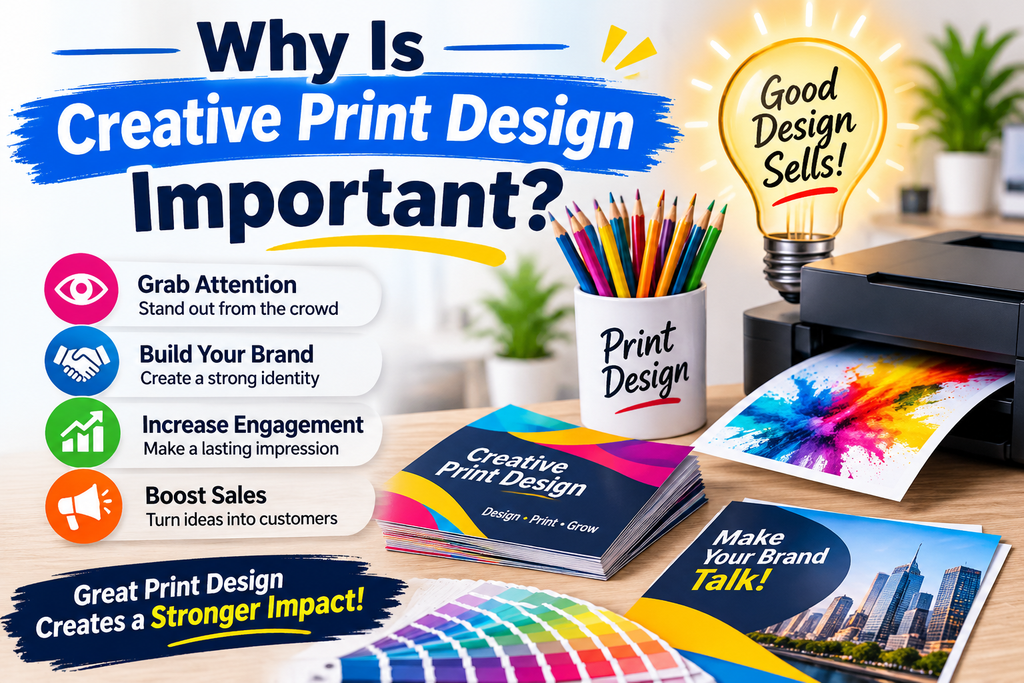
1. Creates a Strong First Impression: Professionally designed business cards, brochures, and flyers help establish credibility and make a positive impression on potential customers.
2. Improves Brand Recognition: Consistent colors, typography, logos, and visual elements make it easier for people to recognize a business across different printed materials.
3. Communicates Information Clearly: A structured layout and readable text help readers understand important information without unnecessary effort.
4. Supports Marketing Campaigns: Attractive posters, postcards, and promotional brochures can help businesses introduce products, advertise services, and communicate special offers.
5. Makes Printed Materials Memorable: Unique illustrations, creative layouts, and interesting visual details can make a printed design stand out.
15 Creative Print Design Ideas to Inspire Your Next Project
Finding the right design style depends on your audience, message, and purpose. The following creative print design ideas can help you develop attractive and practical materials for different projects.
1. Minimalist Print Design
Minimalist print design focuses on simplicity, clean layouts, and carefully selected visual elements. Instead of filling every available space with text and graphics, this approach uses white space to create a balanced appearance.
Use a limited color palette, one or two complementary fonts, and a clear visual hierarchy. Minimalist designs work particularly well for business cards, corporate brochures, product packaging, and professional stationery.
Design tip: Highlight one main message and remove unnecessary decorative elements to keep the design clean and focused.
2. Bold Typography Designs
Typography can become the most noticeable element of a printed design. Large headlines, creative font combinations, and strong text arrangements help communicate important messages quickly.
Bold typography works well for promotional posters, event flyers, magazine covers, and advertising materials. You can combine a heavy headline font with a simple body font to create contrast.
Design tip: Make sure the headline is readable from a suitable distance, especially when designing large posters.
3. Creative Brochure Designs
Brochures are useful marketing materials for presenting business information, products, and services. Creative brochure design ideas include tri-fold layouts, bi-fold formats, Z-fold designs, and modern multi-page brochures.
You can use professional photography, short descriptions, icons, and organized sections to make information easier to explore.
For example, a real estate company can create a brochure featuring property photographs, key features, contact information, and service details.
Design tip: Organize content into clear sections and give each panel a specific purpose.
4. Business Card Design Ideas
A business card is a compact representation of a company’s professional identity. An effective design should include essential contact details while maintaining a clean and recognizable appearance.
Consider these creative approaches:
- Minimalist cards with elegant typography
- Double-sided cards with additional information
- Unique geometric patterns
- Branded color combinations
- Subtle textures and premium finishes
Always prioritize readability and ensure the business name and contact information are easy to find.
5. Flyer and Poster Design Ideas
Flyers and posters are commonly used to advertise events, promotions, products, and services. Their designs should attract attention and communicate the main message quickly.
Use a strong headline, relevant images, contrasting colors, and a clear call to action. For example, a restaurant promotional flyer could feature a popular food photograph, a special offer, and ordering information.
Posters can use larger typography and more expressive visual elements, while flyers generally require a balanced combination of promotional details and images.
6. Creative Business Letterhead Designs
Professional letterheads help businesses maintain a consistent brand identity in their official communication. A well-designed letterhead usually includes a company logo, business name, contact information, and a simple decorative element.
You can experiment with colored header sections, subtle geometric patterns, or clean footer layouts.
Design tip: Keep the central writing area uncluttered so documents remain easy to read and practical to use.
7. Postcard Design Ideas
Postcards are versatile printed materials for direct marketing, announcements, invitations, and promotional campaigns.
A creative postcard can feature an attractive front-side image with a short headline and a clean information layout on the reverse side.
Travel businesses can use destination photography, while retail brands can highlight new products or seasonal promotions.
Choose images and colors that reflect the purpose of the campaign.
8. Magazine and Newsletter Layouts
Magazine and newsletter designs require a thoughtful combination of typography, photography, columns, and visual hierarchy.
Use attractive cover designs, readable body fonts, section headings, and consistent spacing to create a professional reading experience.
For newsletters, divide information into short sections so readers can quickly find relevant updates. Magazine layouts can be more expressive, using full-page images, creative grids, and interesting editorial typography.
9. Product Packaging Design
Product packaging is an important part of how customers experience a product. Good packaging design combines visual appeal with useful information and practical functionality.
Consider using:
- Distinctive brand colors
- Clear product names and descriptions
- Custom illustrations
- Readable labels
- Simple and recognizable graphics
For example, a handmade skincare brand could use natural colors, minimalist typography, and botanical illustrations to communicate its visual identity.
Remember that packaging dimensions, materials, and printing methods should be considered before finalizing the design.
10. Colorful and Vibrant Print Designs
Bright colors can make promotional materials energetic and visually engaging. Vibrant color combinations are particularly suitable for entertainment events, product promotions, children’s materials, and seasonal campaigns.
However, using too many colors can make a layout look confusing. Choose a primary color, one or two supporting colors, and an accent shade to maintain visual balance.
Also, remember that printed colors may look different from their appearance on a computer screen. Use the appropriate CMYK color settings and request a proof when color accuracy is important.
11. Vintage and Retro Print Designs
Vintage and retro styles use visual elements inspired by earlier design periods. These can include classic typography, textured backgrounds, faded colors, decorative borders, and traditional illustrations.
This style works well for restaurant menus, coffee packaging, event posters, product labels, and promotional postcards.
For an authentic appearance, combine vintage-inspired fonts with carefully selected textures rather than adding too many effects.
12. Geometric Print Design
Geometric print design uses shapes such as circles, triangles, squares, lines, and abstract patterns to create structured visual compositions.
These elements can add movement, contrast, and personality to otherwise simple layouts.
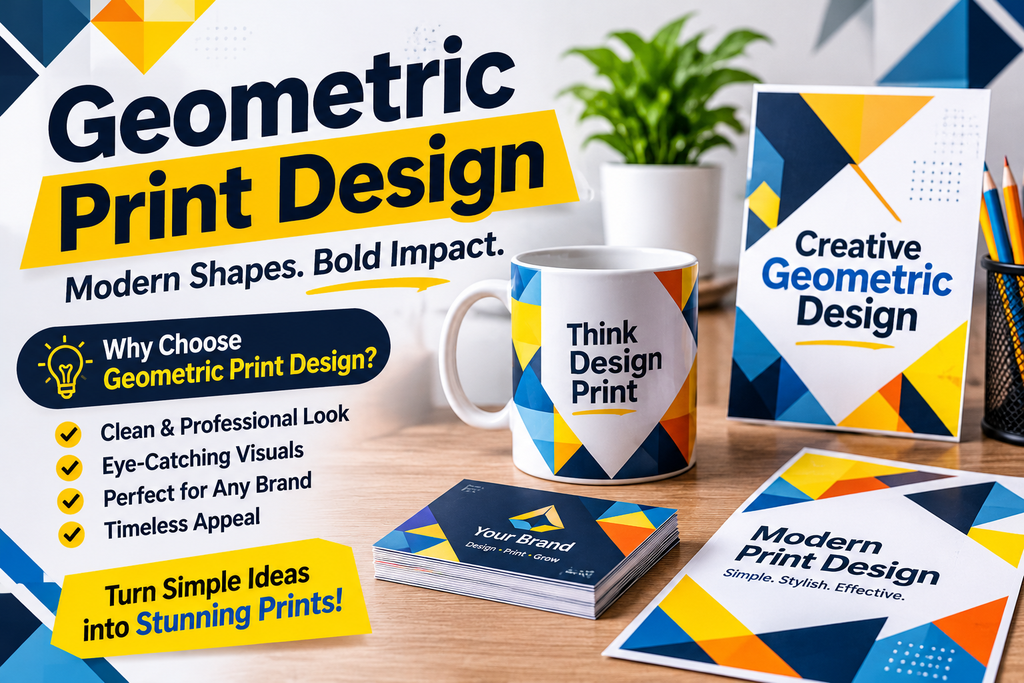
Geometric graphics are suitable for corporate brochures, business cards, posters, presentation handouts, and modern marketing materials.
Design tip: Use shapes to guide attention toward important content instead of allowing decorative patterns to compete with the main message.
13. Eco-Friendly Print Design
Eco-friendly print design focuses on reducing unnecessary material use and supporting more responsible printing choices.
Designers can consider recycled paper, responsibly sourced materials, vegetable-based inks where available, and layouts that use paper efficiently.
Natural colors, simple illustrations, and clean typography can complement an environmentally conscious brand identity.
However, a genuinely sustainable project also depends on the materials, printing process, production methods, and supplier practices.
14. Modern Typography and Illustration
Combining modern typography with custom illustrations can produce distinctive and engaging printed materials.
For example, a technology company might use simple line illustrations, bold headlines, and a limited color palette in its promotional brochure.
Illustrations can explain complex information, add personality, and make printed materials more recognizable.
This approach works particularly well for educational posters, newsletters, product guides, and creative business brochures.
15. Creative Marketing Materials
Marketing materials include different printed products that businesses use to communicate with customers and promote their services.
Examples include:
- Promotional catalogs
- Door hangers
- Presentation folders
- Event invitations
- Product information sheets
- Restaurant menus
- Promotional postcards
The best approach is to maintain consistent branding while adjusting the layout and content according to the purpose of each material.
Essential Elements of an Effective Print Design
A professional print design combines several visual elements to create a clear and attractive composition. Understanding these principles can improve the quality of almost any printed project.
Color Combinations
Colors influence the overall appearance and mood of a design. Choose a color palette that matches the brand identity and intended audience.
Use contrasting colors for important information, but avoid combinations that make text difficult to read.
Typography and Font Selection
Typography affects both readability and visual personality. Choose fonts that match the design style and maintain consistent font sizes throughout the layout.
Avoid using too many different font families in one project.
Images and Graphics
High-quality photographs, illustrations, and icons make printed materials more engaging. Select images that support the message rather than using unrelated decorative graphics.
Use sufficiently high-resolution images to avoid blurry results when printed.
Layout and Visual Hierarchy
Visual hierarchy determines the order in which readers notice different elements. Headlines should receive appropriate attention, followed by supporting information and secondary details.
A consistent grid system can help align text, images, and other design elements.
White Space and Alignment
White space is the empty area between design elements. It helps prevent overcrowding and improves readability.
Proper alignment also makes a design look organized and professional.
How to Create Professional Print Designs
Creating a professional print design requires planning, creativity, and attention to technical details. Follow these steps to prepare a design for successful printing.
Step 1: Define Your Purpose
Decide what you want the printed material to achieve. A promotional flyer, corporate brochure, and product label each require a different design approach.
Step 2: Understand Your Audience
Consider who will read or use the material. Your choice of colors, images, language, and layout should reflect the audience’s interests and expectations.
Step 3: Select the Correct Dimensions
Choose the appropriate document size and orientation. For example, business cards, A4 flyers, and tri-fold brochures have different layout requirements.
Step 4: Choose Colors and Fonts
Select a consistent color palette and readable typography. Consider how these elements will appear on the final printed material.
Step 5: Create a Balanced Layout
Arrange headlines, images, text, and contact information in a logical order. Use appropriate spacing to make the content easy to understand.
Step 6: Prepare the Print-Ready File
Check the document dimensions, bleed, margins, image resolution, and color settings. Many professional printers request PDF files with embedded fonts and suitable print settings.
Always follow the specific requirements of your chosen printing provider.
Step 7: Review Before Printing
Proofread all text, check image quality, and verify contact details. If possible, request a physical proof to evaluate the final colors, layout, and overall appearance.
Best Tools for Creating Print Designs
Choosing the right design software can make the creative process easier and more efficient. Here are some useful tools for different skill levels.
Canva: Canva is beginner-friendly and offers customizable templates for flyers, brochures, business cards, posters, and other marketing materials.
Adobe Illustrator: Illustrator is suitable for professional vector graphics, logos, icons, typography, and scalable print designs.
Adobe Photoshop: Photoshop is useful for photo editing, image manipulation, promotional graphics, and image-based layouts.
Adobe InDesign: InDesign is particularly useful for multi-page documents such as magazines, catalogs, newsletters, and brochures.
Affinity Designer: Affinity Designer provides tools for creating vector illustrations and professional graphic design projects.
The best tool depends on your experience, project requirements, and preferred workflow.
Common Print Design Mistakes to Avoid
Even an attractive design can produce poor printing results if important details are overlooked.
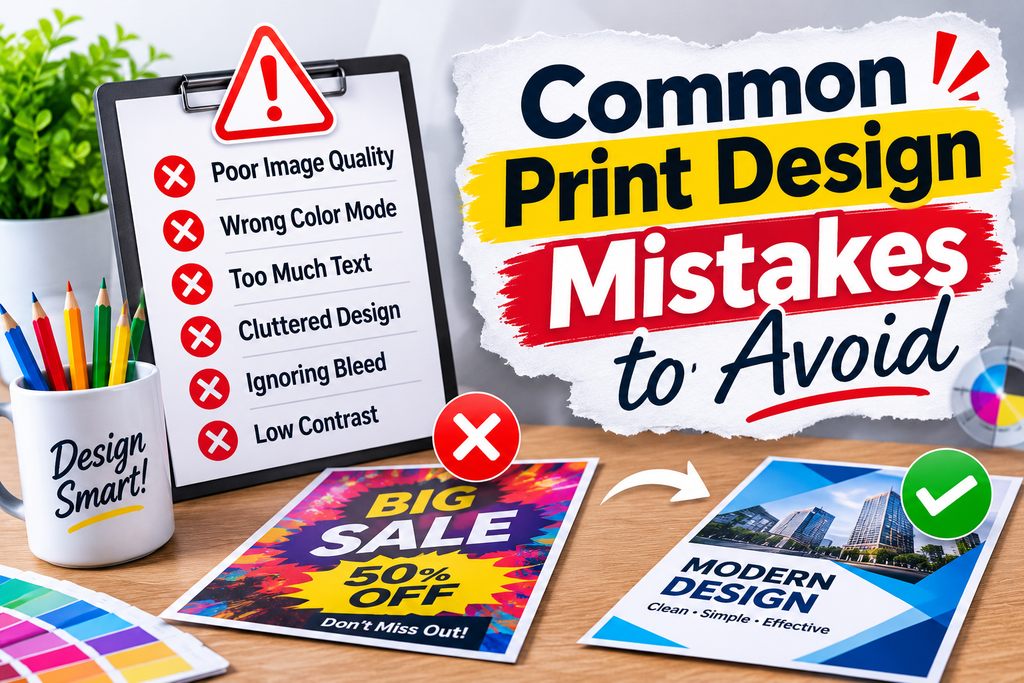
Avoid these common mistakes:
- Using low-resolution images: Blurry photographs can reduce the professional appearance of printed materials.
- Ignoring bleed settings: Missing bleed can result in unwanted white edges after trimming.
- Choosing unreadable fonts: Decorative fonts may look attractive but can make important information difficult to understand.
- Overloading the layout: Too much text, too many images, and excessive decorative elements can create visual confusion.
- Using incorrect color settings: RGB is commonly used for digital displays, while CMYK is widely used in conventional print production.
- Forgetting proofreading: Spelling mistakes, incorrect phone numbers, and outdated information can damage the quality of a printed project.
- Ignoring printer specifications: Different printing providers may have different requirements for file formats, margins, and bleed.
Reviewing these details before production can help prevent unnecessary printing problems.
Latest Print Design Trends and Creative Inspiration
Print design continues to evolve as designers experiment with new visual styles, materials, and printing techniques.
Some creative directions worth exploring include:
Minimalist layouts: Clean compositions and simple typography remain useful for professional branding.
Custom illustrations: Original artwork gives brochures, packaging, and promotional materials a distinctive appearance.
Oversized typography: Large headlines can create a strong visual impact in posters and advertising materials.
Tactile finishes: Embossing, foil stamping, textured paper, and other finishing techniques can add a premium feel to selected printed products.
Sustainable materials: Recycled paper and more responsible production choices are increasingly relevant to environmentally conscious brands.
Mixed-media aesthetics: Combining photography, illustrations, textures, and typography can create more expressive visual compositions.
Rather than following every trend, select styles that support your brand identity and communicate your message effectively.
FAQ
1. What Are the Best Print Design Ideas for Beginners?
Minimalist flyers, simple business cards, promotional posters, and basic brochures are excellent starting projects. They help beginners practice typography, color selection, alignment, and visual hierarchy.
2. How Do I Make My Print Design Look Professional?
Use high-quality images, readable fonts, consistent colors, balanced spacing, and a clear layout. Also, check the technical printing requirements before exporting your final file.
3. What Are the Most Popular Types of Print Design?
Popular print design categories include brochures, flyers, posters, business cards, letterheads, product packaging, magazines, postcards, and promotional catalogs.
4. Which Colors Work Best for Print Designs?
The best colors depend on the brand, audience, and purpose of the project. Choose a balanced palette with sufficient contrast and check the CMYK appearance before printing.
5. What Is the Best Software for Print Design?
Canva is a convenient option for beginners, while Adobe Illustrator and InDesign are useful for professional vector graphics and multi-page layouts. Photoshop is particularly helpful for image editing.
6. What File Format Is Best for Professional Printing?
PDF is commonly preferred for professional printing because it can preserve page dimensions, fonts, and layout information. Always follow the printing provider’s specifications.
7. How Can I Make My Printed Marketing Materials Stand Out?
Use a strong headline, relevant images, distinctive colors, readable typography, and a clear message. Choose a design style that reflects your brand and gives readers a reason to pay attention.
Conclusion
Exploring different print design ideas is an effective way to create attractive, useful, and professional printed materials. From minimalist business cards and creative brochures to bold posters and modern product packaging, each design style offers different opportunities to communicate a message.
The most successful print designs combine creativity with practical design principles. By choosing suitable colors, readable typography, high-quality images, and balanced layouts, you can develop materials that look professional and communicate clearly.