
Introduction
A well-designed brochure can turn a few pages of information into a clear, memorable marketing experience. Whether you are promoting a business, launching a product, advertising an event, presenting a service, or sharing information with customers, the right brochure templates can make the design process faster and more professional.
A brochure template is a pre-designed layout that provides the basic structure for a brochure, including areas for headings, images, descriptions, contact information, branding, and calls to action. Instead of creating every design element from scratch, users can select a suitable template and customize it to match their content and visual identity.
Modern brochure templates are available in many formats and styles, including tri-fold brochure templates, bi-fold brochure templates, business brochure templates, marketing brochure templates, printable brochure templates, editable brochure templates, and digital brochure templates. The best choice depends on the purpose of the brochure, the amount of information it contains, the target audience, and how the final brochure will be distributed.
What Are Brochure Templates?
Brochure templates are ready-made design layouts that provide a structured starting point for creating printed or digital brochures. They usually include predefined sections for text, images, headings, logos, contact information, and other important design elements.
Templates can be customized with your own content, brand colors, fonts, photographs, graphics, and calls to action. This makes them useful for individuals, small businesses, marketing teams, educators, organizations, and professional designers.
Instead of spending hours deciding where each element should go, a template provides an established visual framework. You can then concentrate on creating useful content and adjusting the design to suit your audience.
For example, a restaurant might use a brochure template to present its menu and special offers, while a real estate company could use one to showcase properties. A school may use a brochure to introduce its programs, while a travel company might use one to promote destinations and packages.
Why Use Brochure Templates?
Creating a brochure from a blank page can be challenging, particularly when you need a professional result quickly. Templates simplify the process by providing a starting structure.
1. Save Time
One of the biggest advantages of using brochure templates is speed. A professionally structured template eliminates many repetitive design decisions.
Instead of building columns, headings, image areas, and content sections individually, you can modify an existing layout. This is especially useful when a business needs several brochures for different products or services.
2. Create a Professional Appearance
Professional brochure templates are generally designed with visual balance in mind. They can help maintain consistent spacing, typography, alignment, and hierarchy.
However, a template alone does not guarantee an effective brochure. The final result depends on how well you customize the template and whether the content matches the audience and purpose.
3. Make Customization Easier
Many editable brochure templates allow users to replace text, images, colors, logos, and other elements.
This flexibility makes templates useful for businesses that want to maintain brand consistency across marketing materials. A company can adapt one design for multiple services while keeping its visual identity recognizable.
4. Reduce Design Complexity
Professional design software can offer extensive capabilities, but those capabilities can also make the design process complicated for beginners.
A template provides an organized starting point. Users can make changes without having to understand every aspect of layout design.
5. Support Different Marketing Goals
Brochures can be used for many purposes, including product promotion, service information, event advertising, company introductions, educational materials, and sales presentations.
Because templates are available for different industries and objectives, it is easier to find a layout that matches a particular marketing goal.
Types of Brochure Templates
Different brochure formats create different reading experiences. Understanding the major formats can help you choose a design that works with your content.
Tri-Fold Brochure Templates
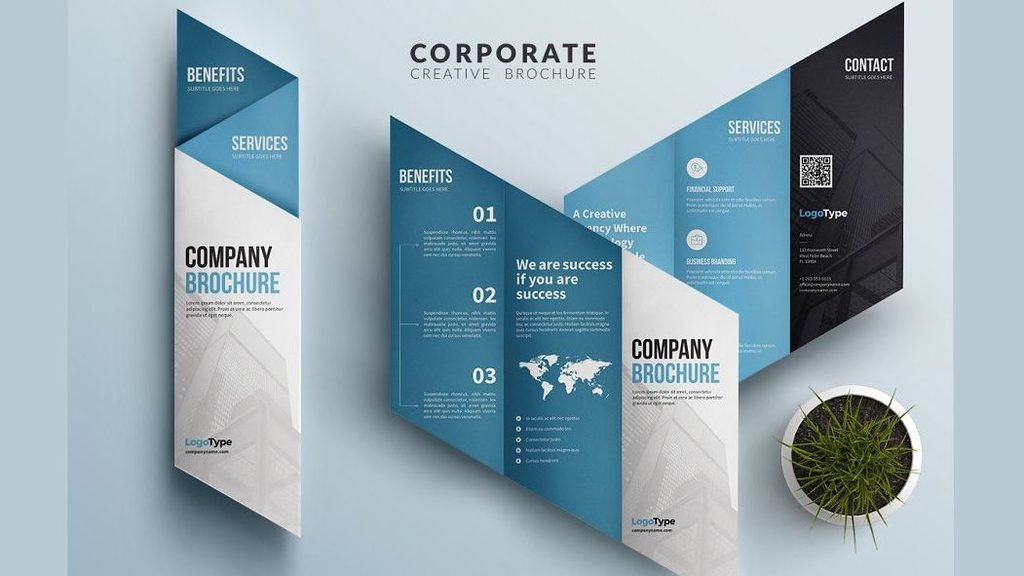
Tri-fold brochure templates divide the page into three sections or panels on each side. They are among the most commonly used brochure formats.
Tri-fold designs work well when information needs to be divided into logical sections. For example, a business could use the panels for:
- Company introduction
- Products or services
- Benefits
- Customer information
- Contact details
- Call to action
They are particularly useful for handouts, promotional campaigns, tourism information, events, and service businesses.
Bi-Fold Brochure Templates
Bi-fold brochure templates divide the sheet into two main panels on each side, creating a simple four-panel structure.
This format provides larger content areas than many tri-fold designs. It can be useful when you want larger photographs, detailed descriptions, or a cleaner presentation.
Bi-fold brochures are commonly suitable for corporate presentations, product information, restaurant promotions, educational materials, and company introductions.
Z-Fold Brochure Templates
A Z-fold brochure uses alternating folds to create a compact, accordion-style presentation.
This format can be useful when information needs to be presented in a sequence. Each panel can introduce the reader to the next part of the message.
For example, a service provider could use the panels to explain a problem, introduce its solution, describe benefits, and finish with contact information.
Gate-Fold Brochure Templates
Gate-fold designs create a distinctive opening experience. The outer panels fold inward toward the center.
They can be effective for premium products, corporate presentations, special announcements, invitations, and campaigns where visual impact is important.
Because the center can provide a larger visual area, gate-fold brochures can work particularly well with strong photography or product imagery.
Digital Brochure Templates
Not every brochure needs to be printed. Digital brochure templates are designed for online sharing through websites, email, social media, or downloadable documents.
Digital brochures can include clickable links, buttons, videos, or other interactive elements depending on the format and software used.
They are particularly useful when an organization wants to distribute information to a large online audience without printing physical copies.
Printable Brochure Templates vs. Digital Templates
The intended distribution method should influence your template selection.
| Feature | Printable Brochure | Digital Brochure |
|---|---|---|
| Main distribution | Physical copies | Website, email, online platforms |
| Design priority | Print readability | Screen readability |
| Images | Print-resolution images | Web-optimized images |
| Links | Usually displayed as text | Can be clickable |
| File considerations | Bleed, margins, color mode | File size and screen compatibility |
| Common use | Events, stores, handouts | Online marketing and information |
If you are printing the brochure, check the printer’s specifications before finalizing the design. Requirements can vary depending on paper size, folding method, bleed, margins, and printing process.
How to Choose the Right Brochure Template
Choosing a visually attractive template is only part of the process. The template should also support your message.
1. Define the Purpose
Start by asking what the brochure needs to accomplish.
Is it intended to:
- Promote a product?
- Explain a service?
- Introduce a business?
- Advertise an event?
- Provide educational information?
- Generate leads?
- Encourage customers to visit a location?
- Present a special offer?
A promotional brochure may require prominent calls to action, while an informational brochure may need more space for explanations.
2. Understand Your Audience
Think about who will read the brochure.
A corporate audience may respond better to a clean and structured design, while a children’s educational program may benefit from brighter visuals and simpler language.
The template should reflect the expectations of the intended audience without sacrificing readability.
3. Consider the Amount of Content
Do not choose a template simply because it looks attractive.
If you have a large amount of information, select a layout that provides enough space without making the brochure crowded. If you only have a small amount of content, a highly complex template may create unnecessary empty areas.
Good design creates a balance between information and visual space.
4. Match Your Brand
Your brochure should look like it belongs to the same organization as your website, business cards, social profiles, and other marketing materials.
Use consistent:
- Brand colors
- Logo placement
- Typography
- Photography style
- Visual elements
- Tone of voice
Consistency makes marketing materials easier to recognize.
5. Think About Distribution
Consider where people will encounter the brochure.
A brochure handed out at a trade show may need to communicate its main message quickly. A brochure placed inside a hotel might provide more detailed information about destinations or services.
For online distribution, make sure the design remains readable on desktop and mobile screens.
Brochure Design Ideas for Different Industries
A template becomes more useful when it is adapted to the specific industry.
Business Brochure Templates
A business brochure can introduce a company, explain services, highlight experience, and provide contact information.
Keep the design professional and focus on information that helps potential customers understand what the company offers.
Marketing Brochure Templates
Marketing brochures are designed to communicate a persuasive message about a product, service, or campaign.
Use strong headlines, benefits, supporting visuals, and a clear call to action. Avoid filling every available space with promotional text.
Real Estate Brochure Templates
Real estate brochures can showcase properties through large photographs, key features, specifications, pricing information, and contact details.
High-quality images and clear information hierarchy are particularly important.
Restaurant Brochure Templates
Restaurants can use brochures to promote menus, catering services, special events, new locations, or seasonal offers.
Food photography can be effective, but images should be balanced with readable text and clear information.
Travel Brochure Templates
Travel brochures often depend heavily on photography. A good layout can combine destination images with attractions, activities, travel information, and booking details.
Education Brochure Templates
Schools, colleges, training centers, and educational organizations can use brochures to explain programs, admission information, facilities, courses, and contact details.
Information should be organized into clearly labeled sections so readers can find important details quickly.
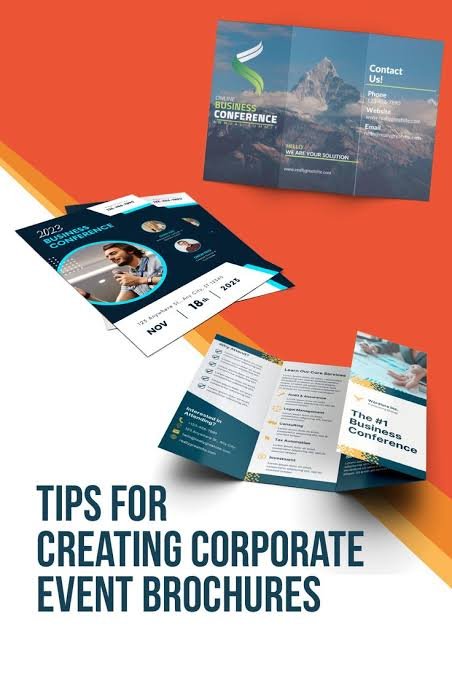
Event Brochure Templates
Event brochures can communicate dates, schedules, locations, speakers, activities, ticket information, and registration details.
A clear hierarchy helps readers identify the most important information immediately.
Essential Elements of an Effective Brochure
A brochure template provides structure, but the content and customization determine how useful the finished design becomes.
Strong Headline
The headline should quickly communicate what the brochure is about.
Avoid vague headlines that force readers to search for the main point.
High-Quality Images
Images should support the message rather than simply fill empty space. Use relevant, high-quality visuals that match your brand and audience.
Clear Typography
Use fonts that remain easy to read at the final size. Establish a clear difference between headings, subheadings, body text, and supporting information.
Using too many fonts can make a brochure look inconsistent.
Balanced Colors
Colors should support readability and branding. Text should have sufficient contrast against its background.
A strong color palette usually works better than using many unrelated colors.
White Space
White space is not wasted space. It gives individual elements room to breathe and makes information easier to scan.
A crowded brochure can make even useful content difficult to understand.
Clear Call to Action
Tell readers what they should do next.
Depending on the purpose, the call to action could be:
- Visit a website
- Call the business
- Request a quote
- Book an appointment
- Register for an event
- Visit a store
- Scan a QR code
- Contact the sales team
A brochure without a clear next step may fail to convert interest into action.
Common Brochure Design Mistakes to Avoid
Even a good template can produce a poor result if it is used incorrectly.
Too Much Text
Readers generally scan marketing materials rather than reading every word. Break long information into short sections, headings, lists, and concise paragraphs.
Poor Image Quality
Low-resolution images can look unprofessional when printed. Use appropriate image quality for the final output and follow your printer’s technical requirements.
Inconsistent Branding
Random colors, unrelated fonts, and inconsistent logo usage can make the brochure feel disconnected from the business.
Weak Hierarchy
If every heading, image, and sentence has equal visual importance, readers may struggle to understand where to look first.
Ignoring the Fold
When creating a folded brochure, important text and images should be positioned carefully so that folding does not interfere with the design.
Always check the template’s panel arrangement before sending the final file to print.
Are Free Brochure Templates Worth Using?
Free brochure templates can be useful when you need an affordable starting point, especially for simple projects or personal use. However, the quality, customization options, licensing terms, and design flexibility can vary between template providers.
Before using a free template for commercial purposes, check its licensing conditions. Make sure you understand whether the template permits commercial use and whether attribution is required.
For businesses with specific branding requirements, a premium template or custom brochure design may provide greater flexibility.
The important factor is not whether a template is free or paid. It is whether the template supports your content, audience, brand, and intended use.
How to Customize an Editable Brochure Template
Once you have selected a template, customize it systematically.
Step 1: Replace the Placeholder Content
Start by adding your own headings, descriptions, contact information, services, product details, and calls to action.
Step 2: Add Your Branding
Insert your logo and apply your brand colors and preferred fonts.
Step 3: Replace Images
Use relevant photographs or graphics that support your message.
Step 4: Review the Layout
Check spacing, alignment, text size, image proportions, and visual hierarchy.
Step 5: Proofread
Review spelling, grammar, phone numbers, website addresses, prices, dates, and other important information.
Step 6: Test the Final Output
For printed brochures, review a proof before producing a large quantity. For digital brochures, check how the document looks on different screen sizes.
Brochure Templates and Modern Marketing
Brochures remain useful even as marketing becomes increasingly digital. A physical brochure can provide something tangible at an event, store, office, conference, or customer meeting.
At the same time, digital brochures can extend the same information online.
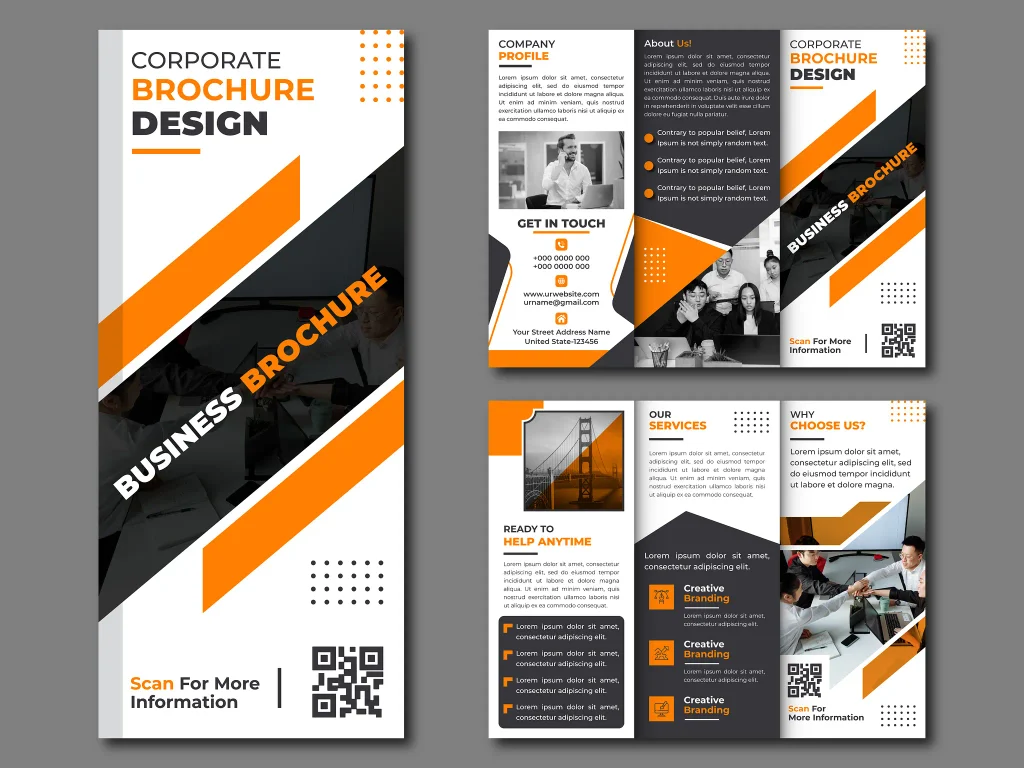
A business can also connect printed and digital marketing by adding a QR code that directs readers to a website, product page, booking system, online catalog, or social media profile.
This creates a bridge between offline and online customer experiences.
Frequently Asked Questions About Brochure Templates
What is a brochure template?
A brochure template is a pre-designed layout that provides a structure for creating a brochure. It typically includes spaces for headings, text, images, branding, contact information, and calls to action.
What is the most common brochure format?
Tri-fold brochures are one of the most commonly used formats because they provide multiple organized panels while remaining relatively compact and easy to distribute.
Are free brochure templates good for businesses?
Free brochure templates can work well for simple business projects, provided the design meets the company’s needs and the template’s licensing allows commercial use.
What should a professional brochure include?
A professional brochure should generally include a clear headline, useful information, relevant images, consistent branding, readable typography, contact information, and an appropriate call to action.
What is the difference between a bi-fold and tri-fold brochure?
A bi-fold brochure is folded once to create four main panels, while a tri-fold brochure is folded twice to create six panels. The best choice depends on the amount and organization of the content.
Can I customize brochure templates?
Yes. Many editable brochure templates allow users to change text, images, colors, fonts, logos, and other design elements.
What makes a brochure visually appealing?
A visually appealing brochure usually combines strong hierarchy, readable typography, balanced colors, relevant images, consistent branding, and sufficient white space.
Can brochure templates be used for printing?
Yes. Many templates are specifically designed as printable brochure templates. Before printing, check the document size, margins, bleed, resolution, and color requirements recommended by your printer.
Are digital brochure templates useful?
Yes. Digital brochure templates can be useful for websites, email campaigns, downloadable resources, online catalogs, and other digital marketing channels.
Should I use a template or hire a designer?
A template can be suitable when you need a fast and flexible solution. A professional designer may be more appropriate when the project requires a highly customized layout, complex branding, or specialized design requirements.
Final Thoughts
The right brochure template can simplify the design process while providing a strong foundation for communicating your message. From tri-fold brochure templates and bi-fold brochure templates to digital and custom designs, there are options for almost every purpose and industry.
The key is to choose a template based on more than appearance. Consider your objective, audience, content volume, branding, distribution method, and printing requirements. Then customize the design with clear messaging, high-quality visuals, readable typography, balanced spacing, and a strong call to action.
Whether you are creating a business brochure, marketing material, event handout, restaurant promotion, real estate presentation, travel guide, or educational resource, a carefully selected and thoughtfully customized template can make your information easier to understand and more memorable.
Ultimately, the best brochure design is not simply the one that looks attractive. It is the one that communicates the right message to the right audience in a clear, organized, and useful way.
SEO Title
Brochure Templates: Types, Design Ideas & Complete Guide
Meta Description
Explore brochure templates, including tri-fold, bi-fold, business, marketing, printable, and digital designs. Learn how to choose and customize the right brochure template.
Suggested URL Slug
/brochure-templates/
Related Keywords
- Brochure Design Templates
- Free Brochure Templates
- Professional Brochure Templates
- Printable Brochure Templates
- Business Brochure Templates
- Tri-Fold Brochure Templates
- Editable Brochure Templates
- Marketing Brochure Templates